GPT Image 2.6 is OpenAI’s flagship visual generation and multimodal editing model family, engineered to solve spatial ambiguity through transparent PNG markup steering, native animated GIF creation, and vector SVG generation.
Available on GenVid across three dedicated tiers—Flare for high-speed creative iteration, Sunburst for maximum textural detail and multi-edit consistency, and Economy for cost-effective high-volume drafting—the system generates visuals up to 50% faster than its predecessors, rendering commercial drafts in as little as 6 seconds.
Integrated directly into GenVid Studio, creators and enterprises can run Text to Image and Multi-Reference Image to Image with up to 16 source files, native background transparency, granular aspect ratio control, and 1K–4K output resolutions under full commercial monetization rights.
Executive Overview: What Is GPT Image 2.6?
GPT Image 2.6 represents the latest production milestone in OpenAI’s proprietary generative image portfolio, succeeding GPT Image 2.5 and the retired legacy endpoints. Officially rolled out on November 4, 2026 across ChatGPT, Codex, and enterprise APIs, the model architecture merges transformer-based visual semantic understanding with ultra-responsive diffusion decoding.
While traditional image models rely purely on descriptive text and struggle with spatial positioning or fine typographical alignment, GPT Image 2.6 treats language, visual coordinates, and multi-image references as unified tokens. On GenVid Studio, users can switch seamlessly between Text to Image and Image to Image modes, harnessing automated credit calculation, concurrent job queuing, and real-time generation previews.
- Publisher & Release: Developed by OpenAI; officially deployed in November 2026.
- Multi-Tier Architecture: Offered on GenVid as Flare (Fast Iteration), Sunburst (Precision Detail), and Economy (Budget Ideation).
- Unified Multimodal Ingestion: Accepts text prompts, up to 16 reference images simultaneously, and transparent PNG markup overlays.
- Creative Asset Diversity: Outputs static raster graphics (PNG, WebP, JPEG), frame-accurate animated GIFs (2 to 16 frames), and vector SVGs.
Architectural Breakthroughs: What Makes Version 2.6 Distinct?
Rather than merely scaling parameter counts, GPT Image 2.6 introduces structural features designed to overcome the long-standing frustrations of AI art directors, UX designers, and digital marketers.
- 50% Latency Reduction: The refactored decoding pipeline cuts generation time in half compared to version 2.5, enabling initial 1K concept drafts in approximately 6 to 8 seconds.
- Markup-Guided Inpainting: Replaces clumsy binary masks with transparent PNG annotations. Users can circle, sketch, or draw arrows directly over an image to guide edits without altering background elements.
- 16-Image Multi-Reference Headroom: Ingest up to 16 reference files in a single job. Creators can instruct the model using explicit indexing (e.g., "combine the facial structure of image 1 with the color palette of image 2 and the garment texture of image 3").
- Native Background Transparency: Eliminate third-party background removal workflows. By setting background to "transparent" at the 1K tier, subjects render directly onto an alpha channel with clean edge matting.
- Decoupled Complexity & Quality Controls: "Complexity" sets how many reasoning cycles the model spends planning composition and relations before rendering, while "Quality" dictates pixel density and export sharpness.
- Built-in Looping GIF Synthesis: Generate multi-frame motion loops directly from text or static stills without third-party video interpolation plugins.
Deep Dive: Comparing Flare, Sunburst, and Economy Tiers
OpenAI structures GPT Image 2.6 into distinct runtime variants to address the competing demands of turnaround speed, visual fidelity, and operational budget. Understanding how Flare, Sunburst, and Economy differ is essential for optimizing both creative results and credit consumption on GenVid.
1. GPT Image 2.6 Flare (The High-Speed Production Workhorse): Flare is engineered for rapid design iteration. It generates standard 1K drafts in roughly 6 seconds while delivering remarkable typographic accuracy and graphic layout coherence. Flare is the default engine for GenVid Studio, making it ideal for social media banners, website hero mockups, e-commerce packshots, and interactive image-to-image tweaking.
2. GPT Image 2.6 Sunburst (The High-Precision Flagship): Sunburst is the base powerhouse for high-stakes visual deliverables. It allocates extended reasoning effort to compositional balance, microscopic surface textures (pores, paper fibers, fabric weaves), and complex multi-subject interactions. Most importantly, Sunburst maintains exceptional consistency across sequential edits, preventing character or product drift during multi-turn retouching.
3. GPT Image 2.6 Economy (The High-Throughput Budget Tier): Economy is calibrated for volume brainstorming, rapid style exploration, and bulk asset generation. By operating at optimized token density and computational overhead, it enables creators and indie developers to test dozens of concept variations at minimal credit cost before upscaling promising candidates to Flare or Sunburst for final mastering.
Model Matrix: Flare vs Sunburst vs Economy Side-by-Side
The following comparative table illustrates the functional parameters and ideal deployment scenarios across the three GPT Image 2.6 variants on GenVid:
How to Use GPT Image 2.6 on GenVid (Step-by-Step)
Accessing GPT Image 2.6 on GenVid requires no complex API configurations or local GPU hardware. The following walkthrough outlines the creation workflow:
- Step 1: Open GenVid Studio at /create or select the dedicated Text to Image / Image to Image entry points.
- Step 2: Confirm GPT Image 2.6 is active in the Model Picker (positioned at the top of the creation rail).
- Step 3: Choose your preferred variant (Flare for everyday speed, Sunburst for maximum fidelity, Economy for bulk drafting).
- Step 4: Draft your prompt with clear compositional instructions. If performing style transfer or editing, upload 1 to 16 reference images into the media dock.
- Step 5: Select your target aspect ratio (1:1, 16:9, 9:16, 21:9, etc.) and resolution (1K, 2K, or 4K Ultra HD). Toggle "Transparent Background" if you require isolated packshots or logos.
- Step 6: Inspect the transparent credit quote on the submit button and click Generate. Your asset renders in seconds with automated cloud history persistence.
GenVid Pricing, Credit Consumption & Billing Transparency
GenVid utilizes a transparent pay-as-you-go credit ledger with upfront pricing quotes prior to task submission. GPT Image 2.6 generation costs scale strictly by output resolution quality:
• 1K Standard Definition (1024×1024): 60 credits per generation — fast turnarounds, transparent background support, and everyday layout drafting.
• 2K High Definition (2048×2048 / 1536×1024): 120 credits per generation — increased pixel density and sharper textural clarity for web banners and social visuals.
• 4K Ultra HD Master Render (3840×2160): 200 credits per generation — maximum print-ready resolution, micro-texture preservation, and publication-grade fidelity.
If a generation fails due to provider network timeouts or content moderation flags, credits are automatically refunded to your balance in real time without requiring support tickets. All new GenVid accounts receive 50 complimentary credits upon registration, alongside daily login bonus credits.
Hands-on E-E-A-T Testing Review: Practical Strengths & Boundaries
After rigorous evaluation of GPT Image 2.6 across hundreds of commercial prompts on GenVid, its primary competitive triumph is the elimination of "slop iteration." In older diffusion models, getting legible text or keeping a character recognizable required repeated inpainting with negative prompts. GPT Image 2.6 renders clean Latin typography, exact brand names, and complex diagrams on the first attempt.
However, professional creators should observe three practical boundaries in production:
1. Native Background Transparency is constrained to the 1K resolution tier by the underlying vision architecture. Requesting 2K or 4K with transparent settings will default to opaque background rendering.
2. In Multi-Reference Image to Image, prompts must use explicit ordinal references ("image 1", "image 2", "image 3") to avoid semantic cross-bleeding between different reference styles and subjects.
3. Markup-Guided Editing cannot be combined with traditional binary inpainting masks in the same API request. Use markup overlays for spatial directions and let the model determine edge blending automatically.
Commercial Use Cases Across Industries
The multimodal versatility of GPT Image 2.6 powers diverse production pipelines on GenVid:
- E-Commerce & Retail: Generate isolated product cutouts on transparent backgrounds, or place physical products into photorealistic seasonal lifestyle scenes.
- Graphic Design & Key Visuals: Produce 9:16 vertical movie posters, festival flyers, and YouTube thumbnails with integrated legible typography and custom risograph or foil textures.
- Brand Identity & Merchandise: Create clean vector SVG emblems, circular bakery crests, and mascot characters with consistent character model turnarounds.
- Technical & Educational Diagrams: Render multi-step infographics explaining engineering flows, biological cellular processes, and isometric architectural cutaways.
- Social Media & Community Engagement: Craft seamless looping GIFs (such as expressive mascots or character emotion grids) directly for Discord, Slack, and TikTok stickers.
Copy-ready prompts
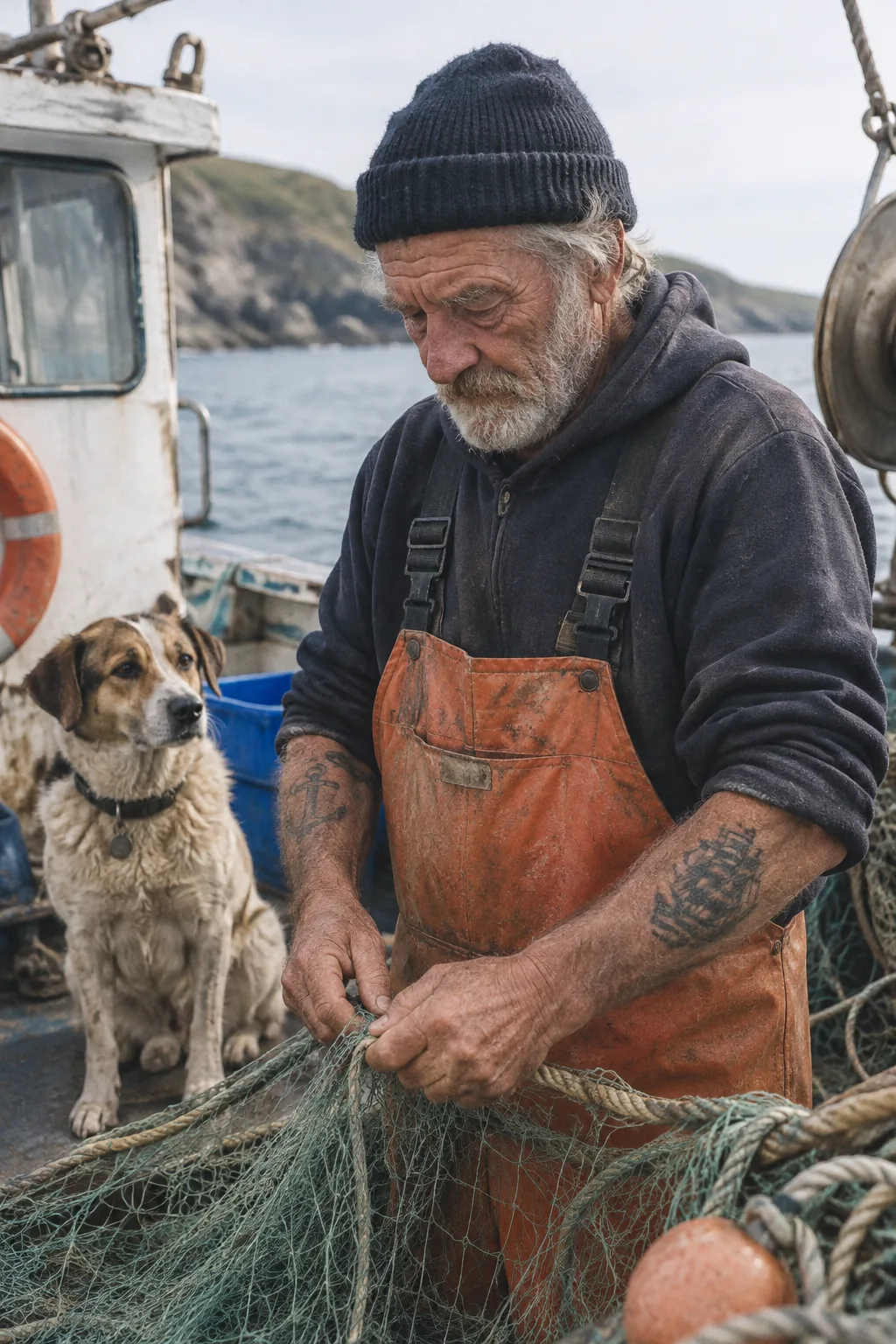
Photorealistic Maritime Portrait: Weathered Fishing-Boat Sailor
Demonstrates human facial photorealism, subsurface skin scattering, natural fabric folds, and nuanced maritime lighting without the plastic airbrushed sheen typical of older models.
Create a photorealistic candid photograph of an elderly sailor standing on a small fishing boat. He has weathered skin with visible wrinkles, pores, and gray stubble. He is wearing a dark, worn wool watch cap, an unzipped heavy oilskin jacket over a faded chambray work shirt, and thick canvas bib overalls. Soft, overcast maritime lighting illuminates the scene, with gentle sea-spray mist in the air and a subtle rim light defining his shoulders. The background shows blurred open ocean with gentle grey swells under a muted horizon. 3:2 cinematic aspect ratio, raw natural color grading.
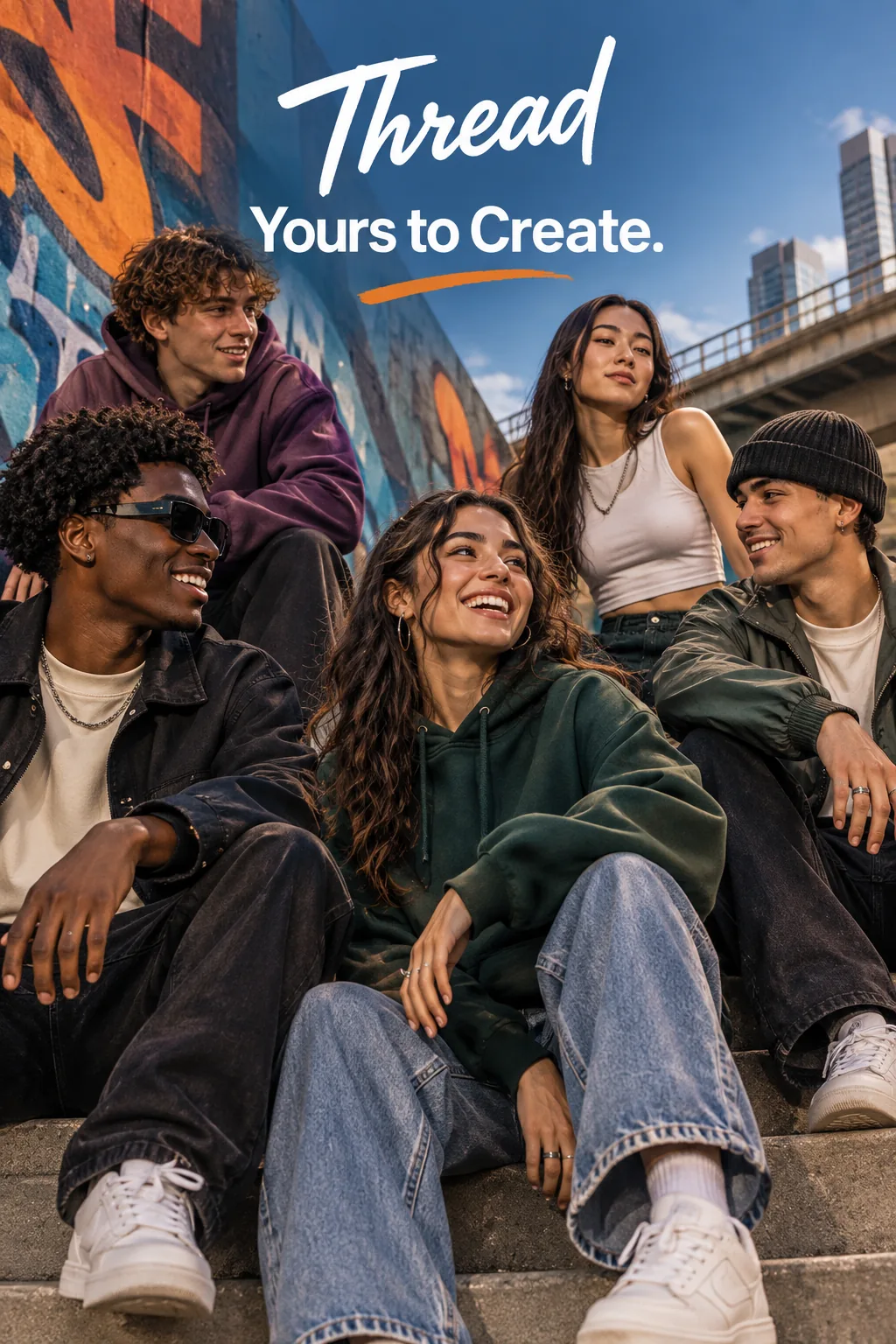
Streetwear Brand Editorial Poster with Clean Typography
Highlights Flare’s graphic design intelligence: exact letter kerning, high-contrast poster layout, and atmospheric street photography combined in one generation.
Give me a cool in-culture ad / fashion shot for a brand called Thread. It's a hip young street brand. The ad shows a group of friends hanging out together on a city fire escape at twilight, wearing oversized minimalist streetwear hoodies and graphic cargo pants. The composition features sharp negative space on the left third with the bold sans-serif headline word "THREAD" in crisp typographic alignment, accompanied by subtle collection details underneath. Gritty film grain, warm amber city light reflections, authentic candid documentary aesthetic.
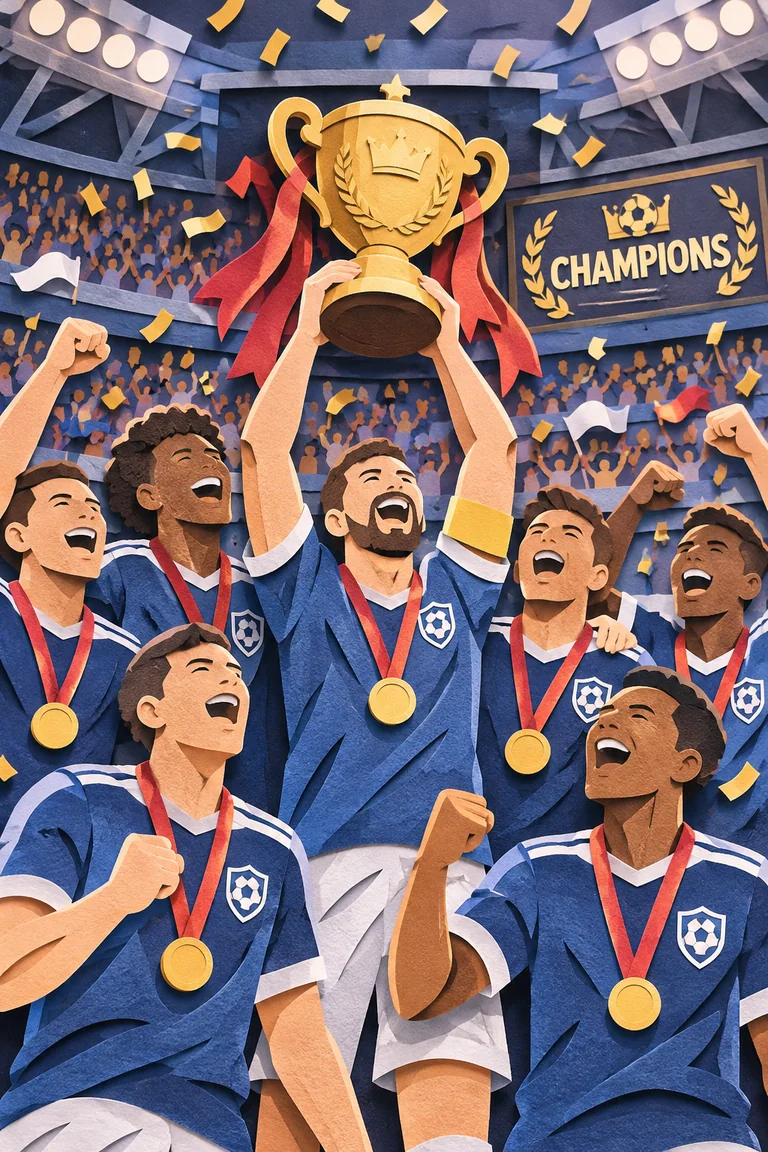
Championship Celebration Layered Paper-Cut Art
Exemplifies Sunburst’s high-complexity reasoning: multi-plane depth layering, intricate micro-shadows between physical paper cutouts, and crisp celebratory text banner rendering.
A premium handcrafted layered paper-cut illustration of a sports championship victory inside a packed stadium. Intricate folded paper tiers with micro-shadows, stadium floodlights cutting through soft paper mist, celebratory confetti ribbons fluttering across three depth planes, athletes in dimensional layered paper jerseys hoisting a gleaming paper trophy above a bold "CHAMPIONS" ribbon banner. Highly tactile, depth-mapped studio lighting, vibrant royal blue and gold accents, 4K rendering fidelity.
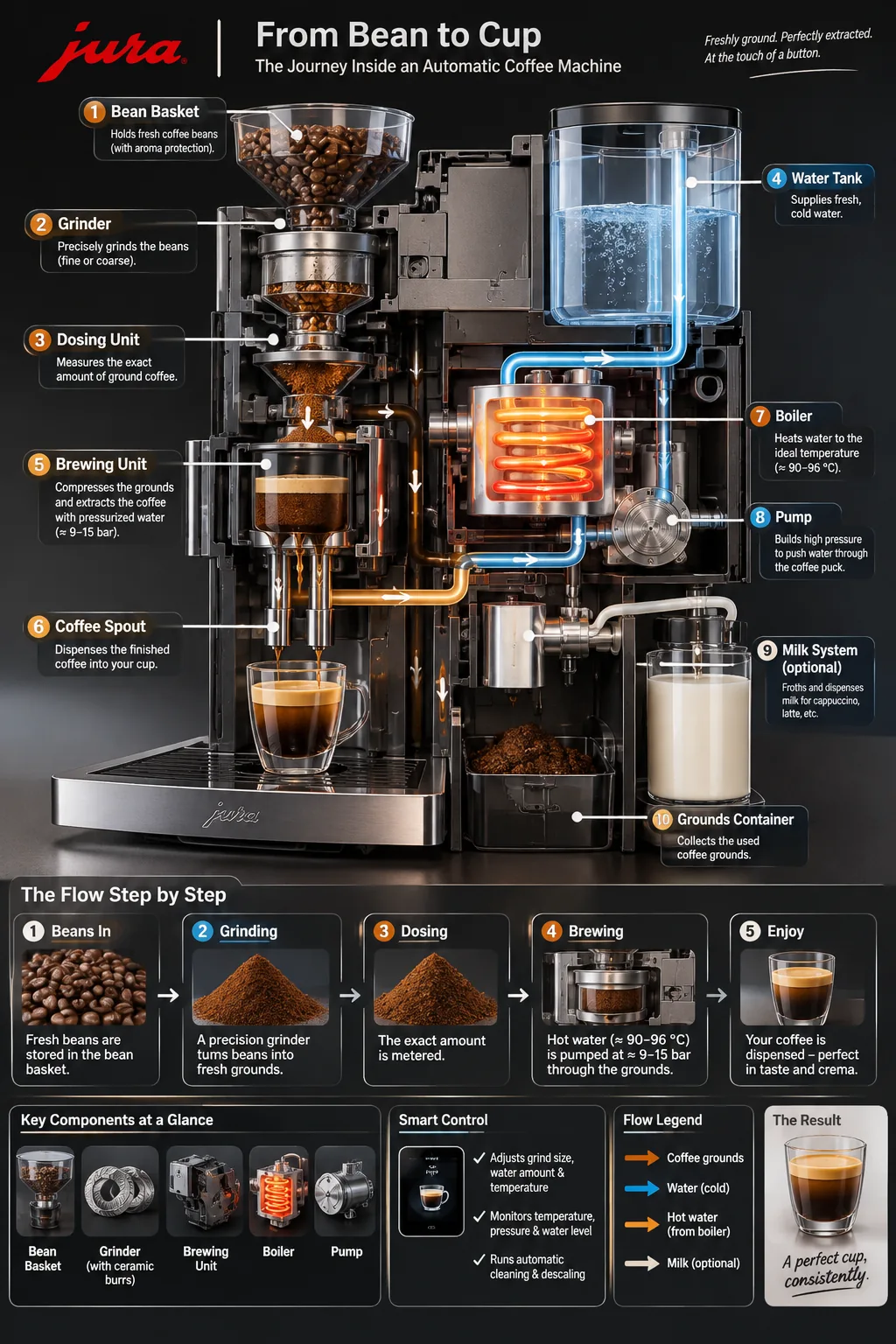
Automatic Coffee Machine Process Flow Infographic
Illustrates the model’s architectural diagramming capability: logical spatial flow, legible English technical labels, and coherent mechanical schematics.
Create a detailed Infographic of the functioning and flow of an automatic coffee machine. From bean hopper at the top, precision ceramic burr grinding, dosage tamp scale, water tank heating thermoblock, high-pressure extraction pump, through to the dual-spout espresso cup extraction and waste puck disposal. Clean isometric technical illustration style, clear English directional annotations, minimalist blueprint aesthetic with soft graphite tones and copper accent lines.
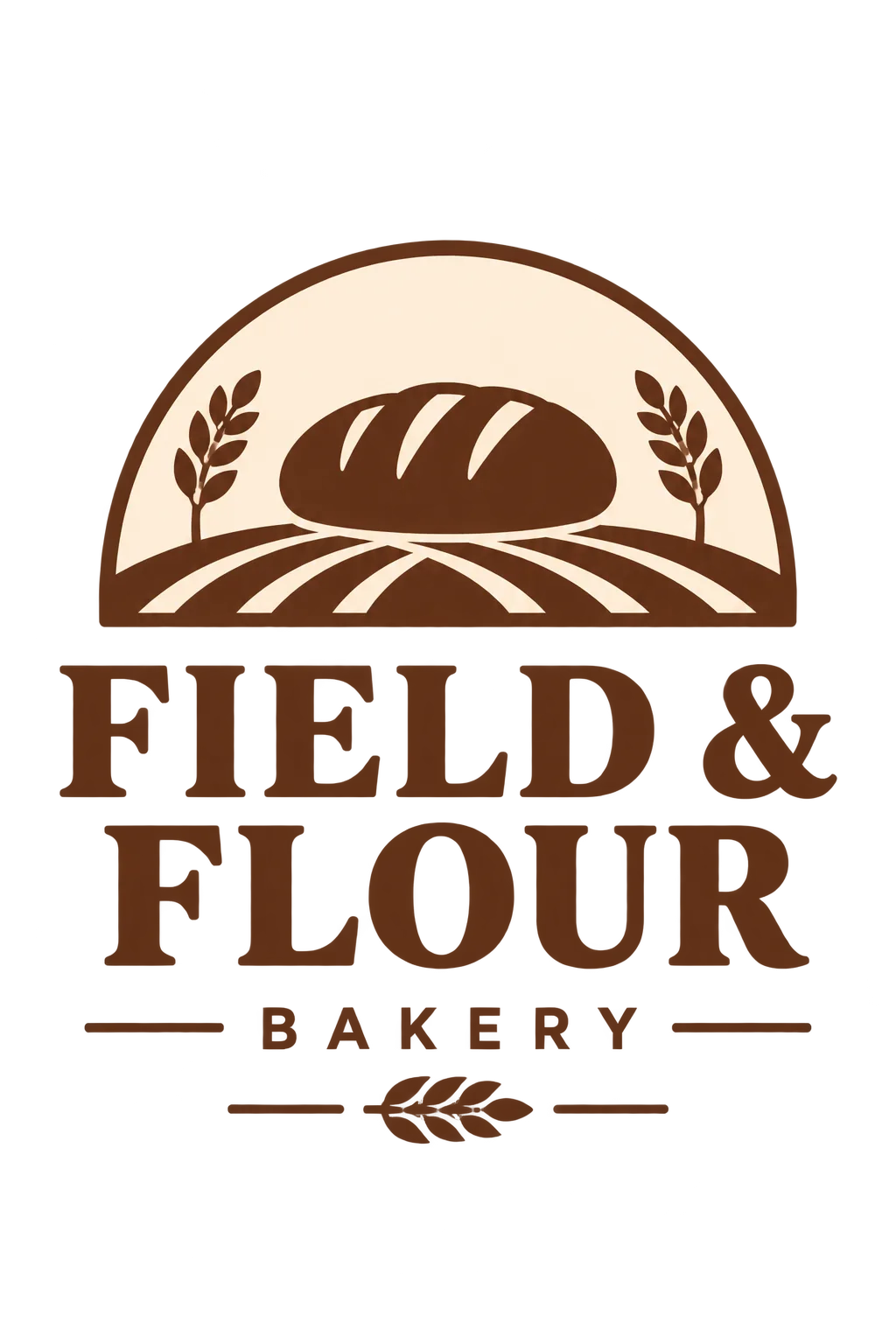
Field & Flour Bakery Brand Mark with Transparent Background
Shows native alpha transparency at 1K tier: sharp vector-like emblem borders with no background fringing or green-screen halos, immediately ready for packaging and web menus.
Create an original, non-infringing logo for an artisanal company called "Field & Flour", a local bakery. The logo should feel warm, simple, and timeless. Use clean hand-drawn wheat stalks intertwined with a vintage bread lame knife in an unbroken circular crest. Earthy terracotta and deep navy color scheme on an isolated transparent background, vector-quality contours, balanced kerning with clear uppercase typography.

Snowy Forest Lantern Monkey Seamless Loop (Animated GIF)
Demonstrates native animated GIF generation with smooth 9-frame cycle, coherent lighting changes as the lantern swings, and persistent character identity across every frame.
A little monkey in an olive-green hooded coat stands in a snowy pine forest at dusk. A wooden cabin glows warmly in the background. The monkey holds a glowing vintage brass lantern that gently sways back and forth, casting warm flickering amber light across the soft snowdrifts. Gentle snowfall drifts down continuously. Smooth seamless loop across 9 frames at 200ms per frame, charming storybook illustration style, cozy winter atmosphere.
Model Comparison: GPT Image 2.6 vs Leading Foundation Models
| Capability / Metric | GPT Image 2.6 (GenVid) | FLUX 3 (Klein) | Nano Banana 2 | Midjourney v7 |
|---|---|---|---|---|
| Core Developer | OpenAI | Black Forest Labs | Google / DeepMind | Midjourney Inc. |
| Primary Tiers | Flare · Sunburst · Economy | Klein · Schnell · Pro | Pro · Flash · Fast | Standard · Raw · Niji |
| Draft Speed (1K) | 5–8 seconds (Flare / Economy) | 6–10 seconds | 7–12 seconds | 25–40 seconds |
| Multi-Reference Input | Up to 16 images indexed | Up to 4 images | Up to 4 images | Vary Region / Omni-ref |
| Native Transparency | Direct PNG alpha channel (1K) | Requires cutout pass | Requires cutout pass | Background removal tool |
| Markup-Guided Edits | Native transparent PNG overlay | Binary mask only | Inpainting mask only | Brush inpainting |
| Typography & Text | Industry-leading spelling & layout | Good short words | Moderate text layout | Stylized artistic text |
| Motion & Formats | PNG, JPEG, WebP, GIF, SVG | Raster only (PNG/JPG) | Raster only (PNG/JPG) | Raster stills only |
| Commercial Rights | Full monetization on GenVid | Commercial license | Commercial tier | Commercial subscription |
Sources
Try it on GenVid: GenVid Studio Creation Console · Text to Image AI Tool · Image to Image Multimodal Editor · GPT Image 2.5 Sunburst Model Hub · FLUX 3 Klein Fast Image Generator · GenVid Transparent Pricing & Credit Calculator