


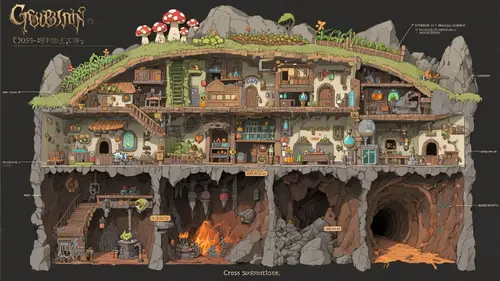
A cross-section of the fantasy architecture "Goblin's Underground Workshop," intricately illustrated in detail. Each level clearly shows functional areas, with a mushroom farm on the top level, goblin living quarters and an alchemy laboratory on the middle level, and a bustling forge making clanking sounds on the bottom level, with a tunnel extending deeper into the mine. A single image condensed with rich settings and meticulous details.