GenVid

Multi-Model Engine · Seedance 2.5 / Veo 3.1 / Wan 3.0

Image to Video AI Free: Animate Any Picture

Turn still photos, concept art, and product shots into fluid HD videos with natural camera motion.

What is Image to Video AI & How Do I Animate Photos for Free?Key Takeaway & Quick Summary

Image to Video AI is an algorithm that generates temporally consistent motion from a single reference picture. On GenVid, upload any image (JPG, PNG, WEBP), select a foundation model (Seedance 2.0, Veo 3.1, or Wan 2.6), and click Generate to produce a 1080p–2K video in 45 seconds using free trial credits.

Supported Engines
Seedance 2.0, Veo 3.1, Wan
Input Types
Photos, Portraits, Art, Products
Output Quality
Up to 2K (60fps Fluid Motion)
Free Tier
Daily Trial Credits on Signup
Audio Option
Native Synced Sound & Foley
Turnaround
30 – 60 Seconds
Community Gallery

Real Image to Video Animation Showcase

Watch how still 2D inputs are transformed into high-frame-rate videos with fluid atmospheric dynamics.

Veo 3.1 (Image to Video)
5s
Prompt200 cr

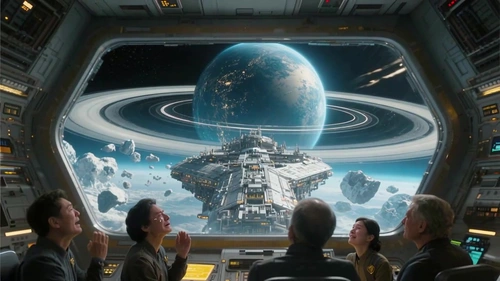
The static sci-fi space vessel image comes to life as blue ion engine rings ignite, emitting ripples of warp space as the ship smoothly navigates toward the planetary ring system. Slow dramatic cinematic pull-back.

Seedance 2.5 (Image to Video)
5s
Prompt210 cr

Bring the still portrait to life: raindrops gently fall into neon-lit puddles, the woman blinks naturally and gives a subtle warm smile, and neon reflections ripple across the wet pavement.

Wan 3.0 (Image to Video)
5s
Prompt50 cr

Transform the cliffside landscape into intense realistic fluid motion: violent sea spray crashes over black rocks, mist rises into the golden hour light, and seagulls glide into the distance.

Seedance 2.5 (Image to Video)
5s
Prompt210 cr

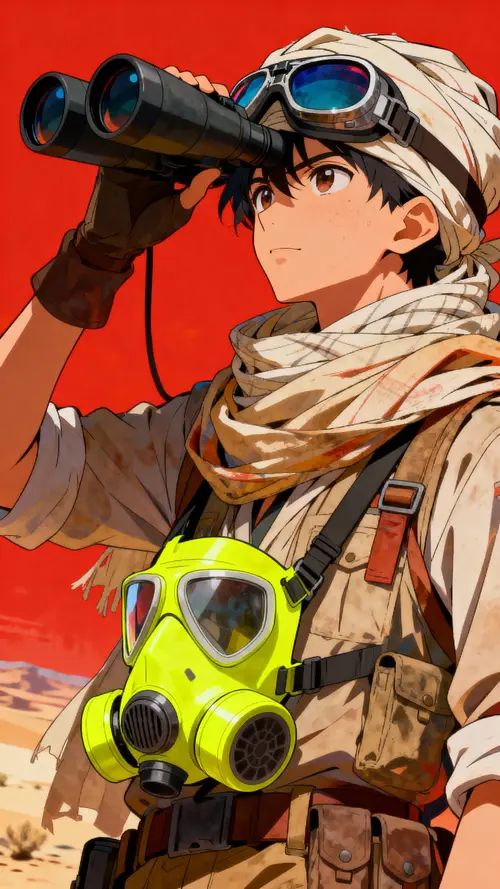
Animate the dunes: shifting sands blow gracefully off ridge crests, sunlight sparkles on mineral grains, and the nomadic explorer steps steadily forward across the desert.

Compare Image to Video Foundation Models

Select the best AI video engine suited for your specific visual style and prompt demands.

Source: GenVid Benchmark Report
Specification / FeatureGenVid Image to Video Matrix Value
Seedance 2.5 (ByteDance)
Best for Multi-Shot Narrative & Native Audio Sync
Google Veo 3.1
Best for Cinematic Photorealism & Optical Physics
Wan 3.0 (Alibaba)
Best for High Speed & Prompt Adherence
Supported Input Formats
PNG, JPG, WEBP up to 15MB
Aspect Ratio Preservation
16:9, 9:16, 1:1, 4:3, 21:9
Free Tier Credits
Yes (Complimentary Daily Trial Credits)
Tested & verified for GenVid production environmentLast verified: November 2026

How to Animate Any Image in 3 Simple Steps

From static JPG or PNG to high-definition video in under a minute.

01

Select Model & Upload Assets

Pick your preferred AI video engine (Seedance 2.0, Veo 3.1, Wan 2.6). Optionally upload an image or product photo for animation.

Tip: Square (1:1) or 16:9 images yield the best character composition.
02

Input Descriptive Prompt

Describe the scene, subject actions, lighting, and camera movement. Use our quick-prompt templates for instant cinematic results.

Tip: Specify motion dynamics like "slow dolly-in" or "dramatic wind effect".
03

Generate & Export High-Res Video

Click Generate to process the video in under 60 seconds. Preview, iterate with alternative prompts, and download up to 2K resolution without watermark.

Tip: Pro members enjoy priority GPU queues and bulk variation generations.
Pro Tips for Best Image to Video Results
1. Specify Camera MovementInclude dynamic camera directives like "slow cinematic zoom in" or "pan right" to instruct the AI where to shift perspective.
2. Describe Environmental MotionAdd sensory details like "hair swaying gently in breeze", "water ripples reflecting sunset", or "mist drifting between trees".
3. High Subject ContrastImages with a clear separation between the foreground subject and background allow the AI to animate layers independently with 3D depth.
Knowledge Base

Frequently Asked Questions about Image to Video AI

Key information on resolutions, camera angles, sound sync, and export quality.

Image to Video AI analyzes the subjects, lighting, perspective, and depth in your uploaded 2D image, then uses diffusion transformer foundation models (such as Seedance 2.0 or Veo 3.1) to synthesize realistic temporal frames, adding camera movements, natural subject action, and physical environmental effects.
Semantic Ecosystem

Explore Related Tools & Models

Discover high-performance generative models and tailored creation workflows.

Last updated: November 4, 2026
By GenVid Team · Verified by GenVid Vision AI Research
4 min read
Image to Video AI Free – Turn Any Image into Video Online | GenVid